
How to Write a Quote That Wins Business (Free Templates Included)
Published on Jan 24, 2026 · 7 min read
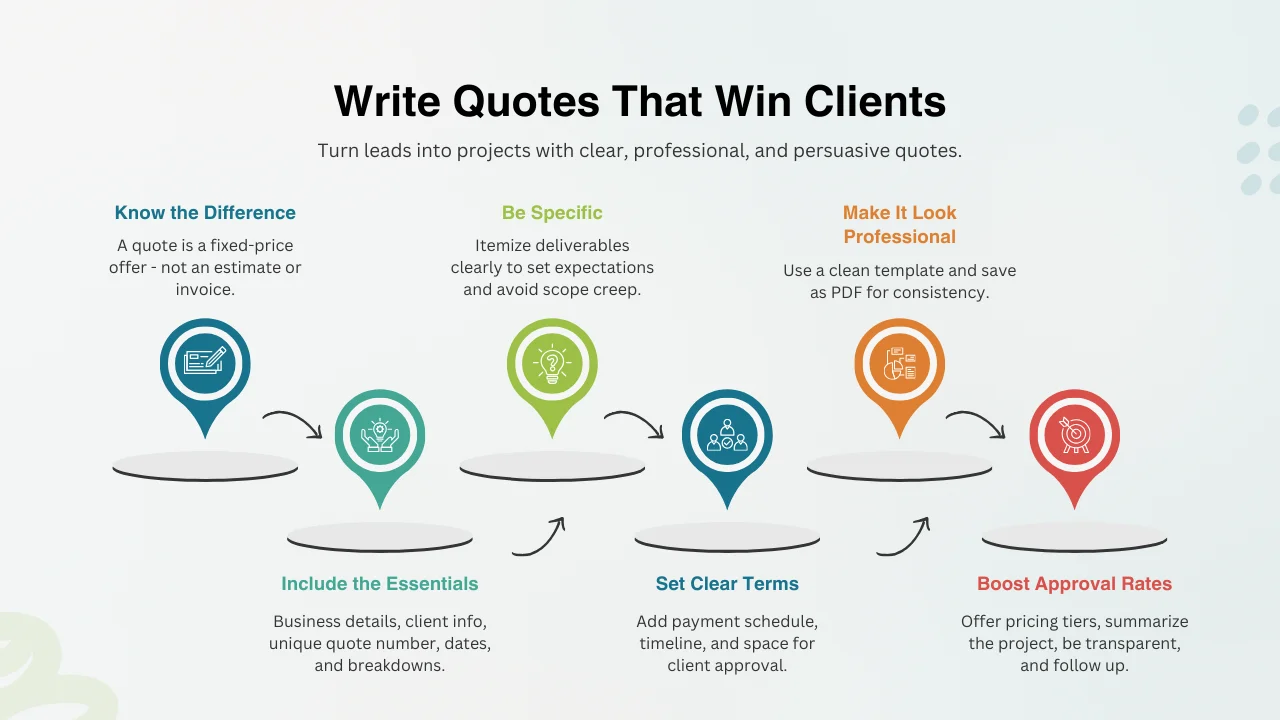
In freelancing and small business, a well-crafted quote is more than a price list—it’s your opening handshake and first chance to build trust. A great quote clarifies scope, sets expectations, and protects both sides.
Many struggle with how detailed to get or how to present it. This guide breaks it down and provides free quote templates so you can start fast.
What We'll Cover
Quote vs. Invoice vs. Estimate
These terms get mixed up, but they mean different things. Avoid miscommunication and payment issues. See more in Invoice Generator vs. Invoice Maker.
Estimate
A rough, non-binding range when scope isn’t clear yet—useful early in discussions.
Quote (Quotation)
A formal, detailed fixed-price offer. Once accepted, it’s usually binding unless scope changes.
Invoice
A request for payment after delivering the work. Learn more in how to create an invoice.
Typical flow: Estimate (optional) → Quote → Invoice.
Anatomy of a Perfect Quote
A professional quote leaves no ambiguity. Use a quote template to include every essential component:
- Your company details and logo.
- Full client details.
- Unique quote number, issue date, and validity date.
- Detailed breakdown of products/services.
- Line-item pricing, subtotal, taxes, and total.
- Clear terms: payment schedule, methods, timelines.
- Signature/acceptance area.
Step-by-Step: How to Write It
Follow these steps with the BUQ Free Quote Generator:
Step 1: Choose a Professional Template
Design matters—pick a clean layout that reflects your brand.
Step 2: Fill in the Header
Add your details, client details, quote number, and dates. Double-check spelling.
Step 3: Itemize Services Clearly
Show you understand the project. Break it into phases/deliverables to reduce confusion and scope creep.
Step 4: Calculate Costs
Price each line. Let the generator total subtotals/taxes. Keep pricing competitive but value-based.
Step 5: Set Terms and Send
Write clear terms. Export as PDF, attach to a professional email with a clear subject (e.g., “Quote for [Project]”).
Best Practices to Get Approved Faster
- Be specific: define deliverables and boundaries.
- Keep visuals on-brand and easy to read.
- State validity and payment terms up front.
- Highlight value and outcomes, not just cost.
- Make approval easy: signature or quick reply.
Frequently Asked Questions
Difference between quote and invoice?
A quote is sent before work; an invoice bills after work is done.
Is a quote binding?
It can be once accepted, depending on jurisdiction and terms—so be precise.
How long is it valid?
Usually 14–30 days to protect you from cost changes and prompt decisions.
Conclusion
A clear, well-presented quote persuades clients, prevents disputes, and speeds up approvals. Use it to win more projects confidently.

![What is a Credit Note? How & When to Use It [+ Free Template]](/_next/image?url=%2Fassets%2Fwhat-is-a-credit-note.webp&w=3840&q=75)
